SBOM
Generate a Software Bill of Materials (SBOM) for an application from the N|Solid Console, as an HTML report, a PDF, or a CycloneDX JSON file.
An SBOM is a complete inventory of the software components, dependencies, libraries, and modules used to build an application. You need one for:
- Security: identifying vulnerable components and understanding their potential impact.
- Compliance: making sure all components meet licensing and regulatory requirements.
- Transparency: giving stakeholders a clear view of the software supply chain.
- Maintenance: knowing exactly which components are in use, which simplifies updates.
Generate an SBOM
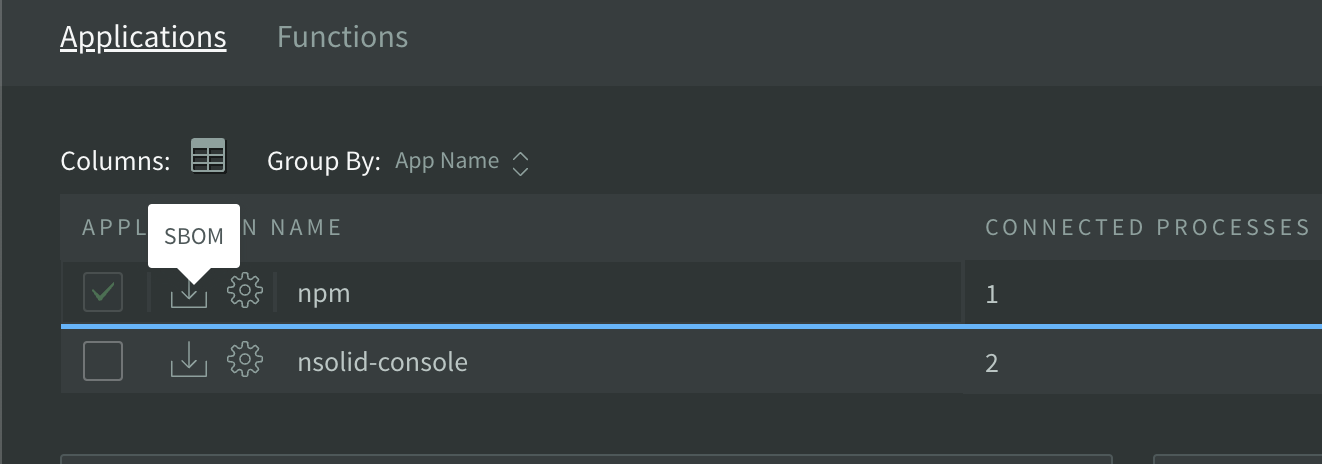
- In the Applications view of the Dashboard, find the SBOM icon for your application.
- Click the icon, then choose a format from its menu:
- JSON: downloads the SBOM as a CycloneDX 1.4 JSON document, for use with compliance and security tooling.
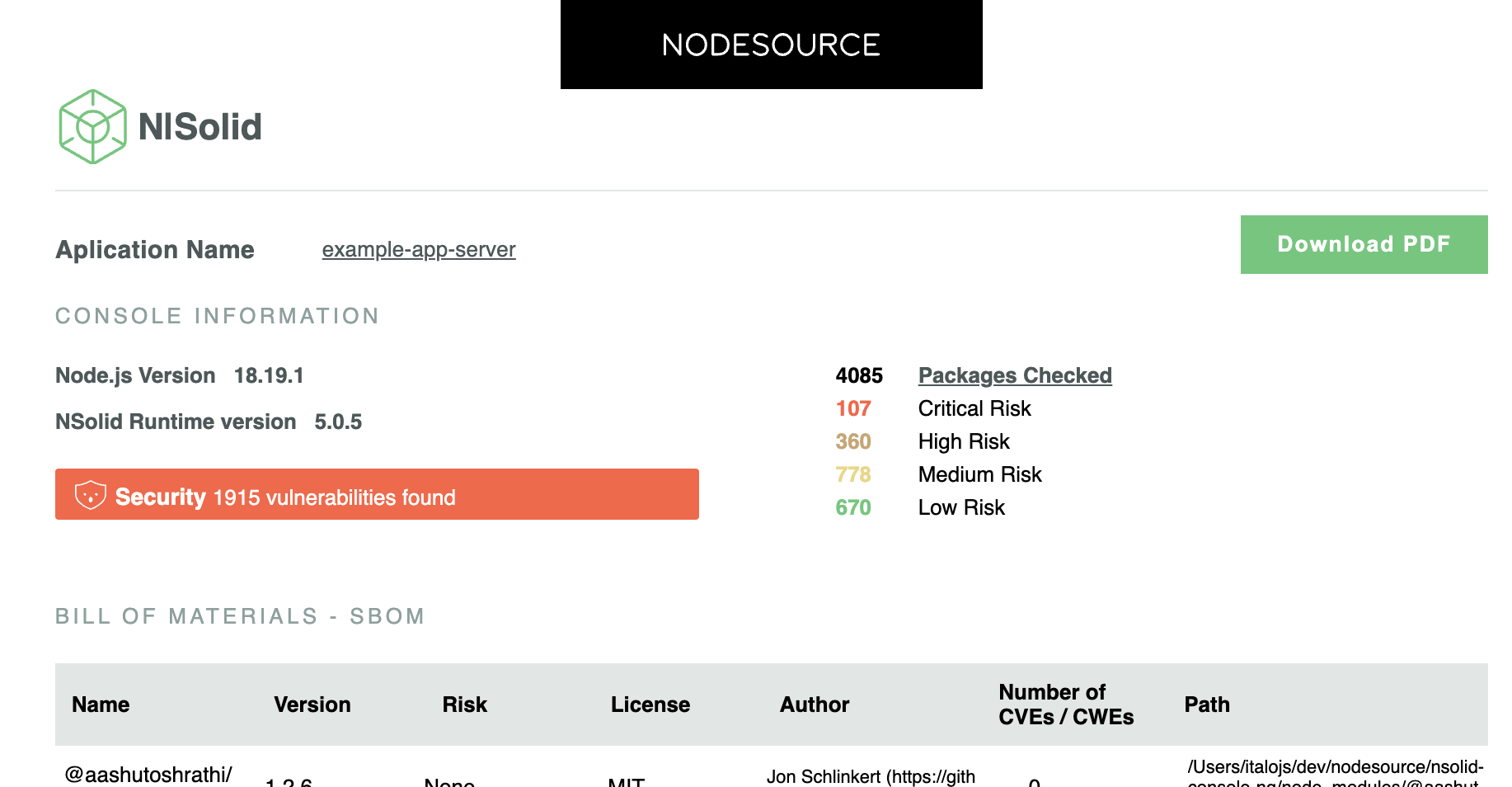
- PDF: opens the printable SBOM report. Click Download PDF in the report to save it as a PDF (this uses the browser's print dialog, and requires Google Chrome).
note
The SBOM icon requires the permission to generate SBOMs for your role.
What the report contains
The SBOM report lists every package in the application, with:
- Name: the name of the package.
- Version: the version of the package.
- Risk: the level of risk associated with the package.
- License: the license under which the package is distributed.
- Author: the author of the package.
- Number of CVEs / CWEs: the number of known Common Vulnerabilities and Exposures (CVEs) or Common Weakness Enumerations (CWEs) for the package.
- Path: the path to the package within the application.
Example PDF output: