The N|Solid Console
The N|Solid Console is a unified dashboard for every N|Solid Runtime that reports to it. Use it to see your entire Node.js installation at a glance, spot outliers, and then drill into an individual process to diagnose it.
The Console is built for large Node.js installations running production loads, with minimal overhead. It works like a connected DevTools-style diagnostic system plugged into each of your production servers, so you can collect data and diagnose problems that only reproduce in production.
Main sections
Use the navigation menu at the top left of the page to move between the main sections of the N|Solid Console:
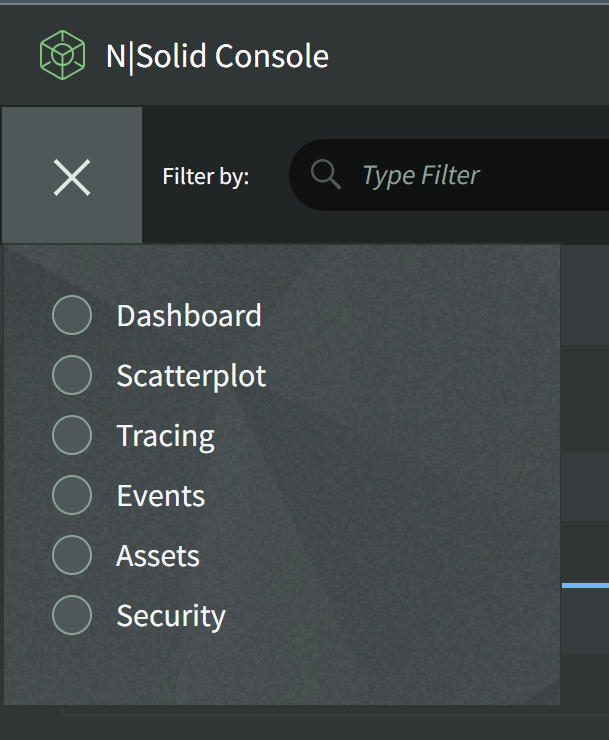
- Dashboard -- View current or historical metrics and process information. When both applications and serverless functions report to the Console, the Dashboard has Applications and Functions tabs (see Serverless).
- Scatterplot -- Plot live metrics for every process to identify outliers.
- Tracing -- Browse OpenTelemetry trace data.
- Events -- Search a log of process, security, asset, and system events.
- Assets -- Captured diagnostic assets: Heap Snapshots, Heap Samples, CPU Profiles, and Continuous CPU Profiles.
- Security -- Vulnerabilities found in the packages your processes have loaded.
Some sections may be hidden, depending on the permissions of your role.
All main sections share the same Global Filter and Date Range to help you narrow the results.
Toolbar
The icons in the top-right corner of every page open:
- Support -- Contact NodeSource support.
- Settings -- Configure the Console. See Settings.
- Wizard -- Open the installation wizard, with step-by-step instructions for installing the N|Solid Runtime and connecting it to the Console.
- Sign Out -- End your session.
- AI Assistant -- Open the N|Solid Copilot chat panel.
