OpenTelemetry instrumentation
Add OpenTelemetry instrumentation libraries to your application so that N|Solid sends their trace spans to the N|Solid Console, alongside the spans it creates natively.
Overview
N|Solid creates trace spans natively for HTTP and DNS requests, and for many projects that is enough. For more detail, such as spans for database queries, you can register OpenTelemetry instrumentation libraries with the N|Solid Runtime. Their spans go directly to the N|Solid Console, so you don't need a separate tracing backend and all of your diagnostic data stays in one place.
Requirements
-
The N|Solid Runtime, connected to the N|Solid Console (for example, to N|Solid SaaS).
-
Tracing enabled, in one of these ways:
- Set
NSOLID_TRACING_ENABLED=1. - Set
tracingEnabled: truein thensolidsection of yourpackage.json. - Turn on Tracing in the process's Dynamic Configuration dialog in the Console. See Use OpenTelemetry.
Instrumentations stay disabled while tracing is off, so no spans are exported.
- Set
-
The latest stable release of the OpenTelemetry instrumentation you want in your
package.json, for example@opentelemetry/instrumentation-mongodbor@opentelemetry/instrumentation-ioredis. -
The latest stable release of
@opentelemetry/apiin yourpackage.json.
Set up instrumentation
This example adds MongoDB instrumentation to a Node.js application. The full example repository is available on GitHub.
-
Load
nsolid, the OpenTelemetry API, and the instrumentation at the top of your entry file. Do this before yourequirethe module you want to instrument (in this case,mongodb); otherwise the module isn't patched.const nsolid = require('nsolid')
const { MongoDBInstrumentation } = require('@opentelemetry/instrumentation-mongodb')
const api = require('@opentelemetry/api') -
Register the OpenTelemetry API with N|Solid:
if (!nsolid.otel.register(api)) {
throw new Error('Failed to register the OpenTelemetry API with N|Solid')
}Call
register()only once per process. Calling it again throws anERR_NSOLID_OTEL_API_ALREADY_REGISTEREDerror. -
Register the instrumentations with N|Solid.
registerInstrumentations()accepts an array or a single instrumentation:nsolid.otel.registerInstrumentations([
new MongoDBInstrumentation()
]) -
To customize an instrumentation with hooks or options, follow its own documentation. For example, see the
@opentelemetry/instrumentation-mongodbREADME.
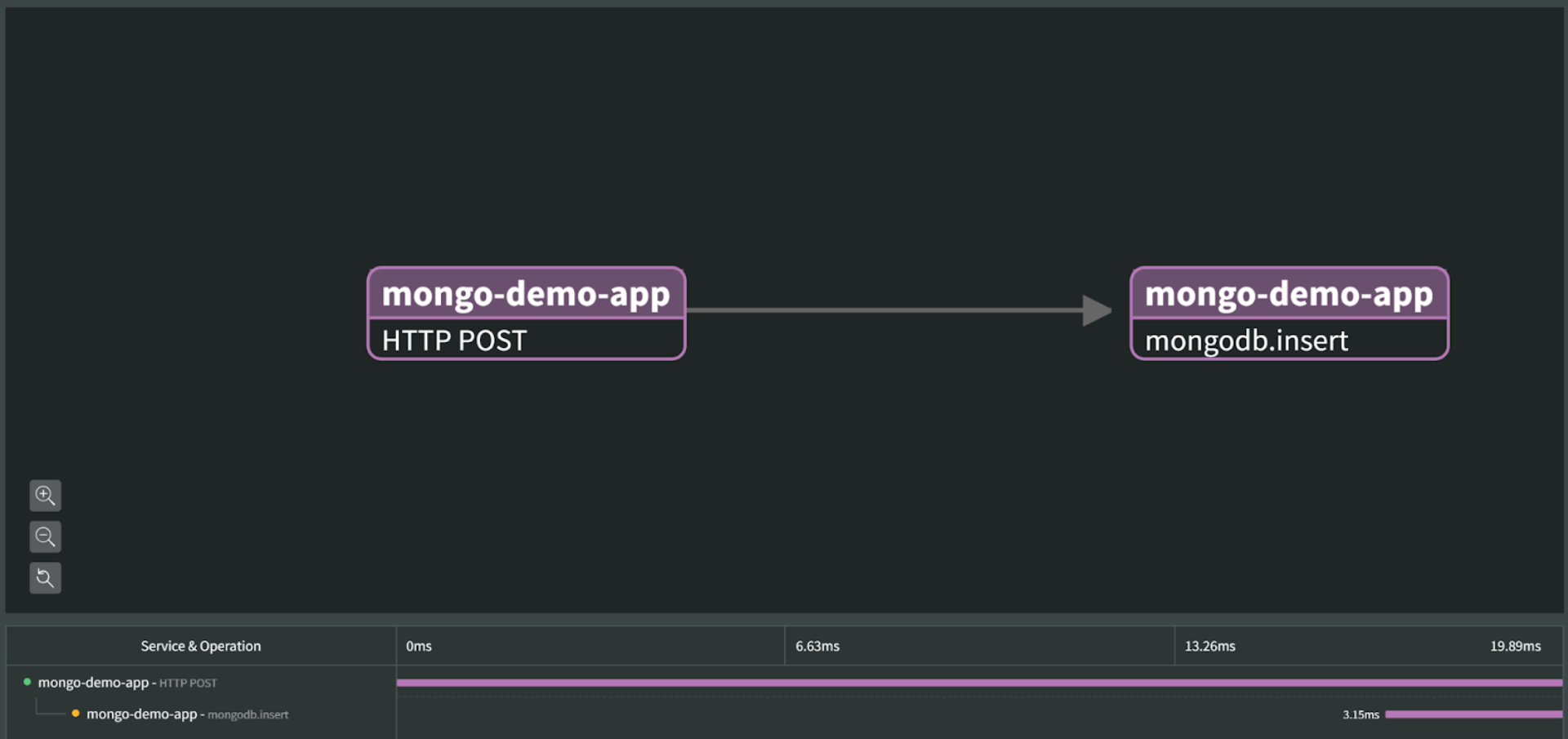
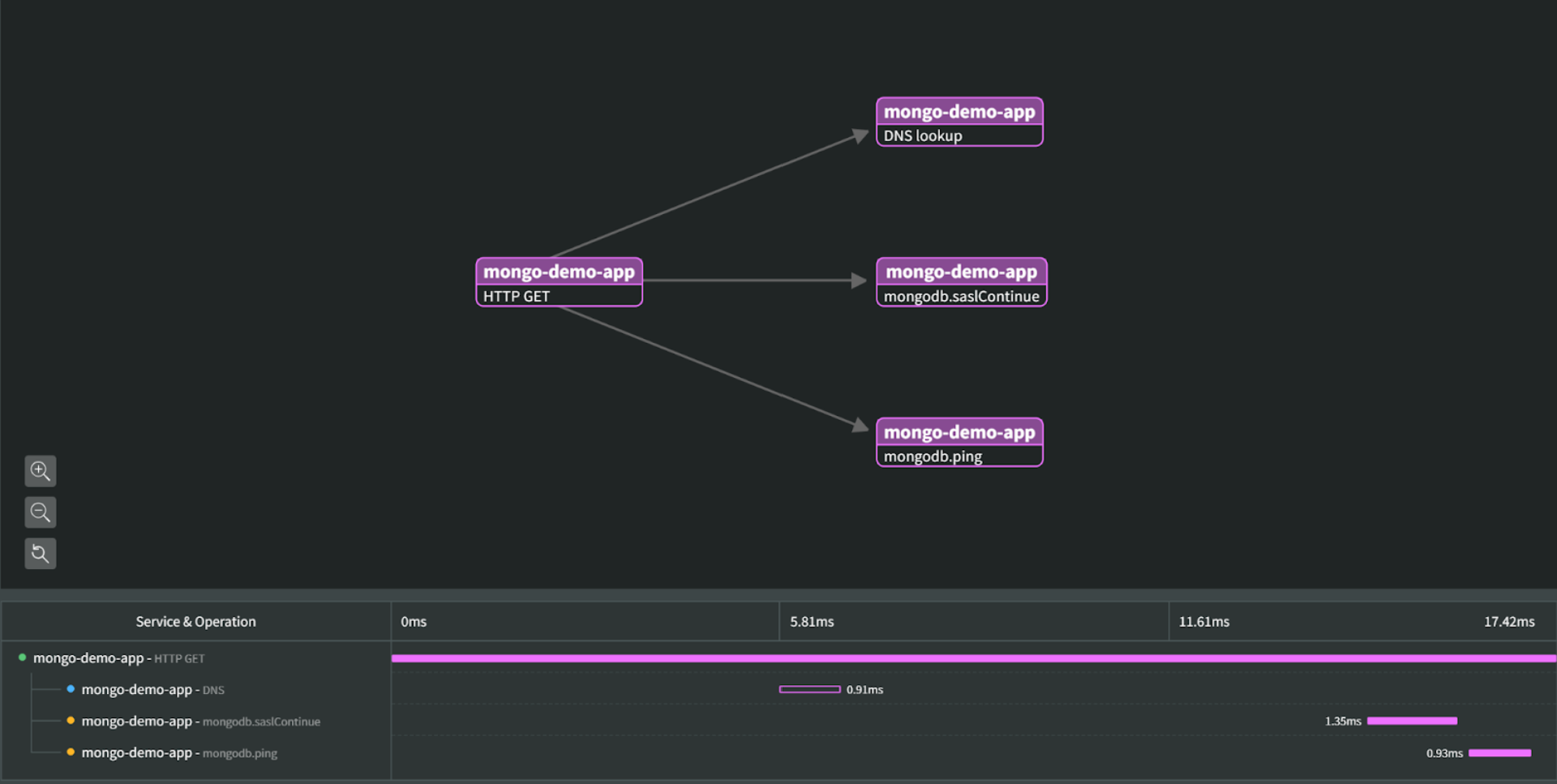
After you restart your application, the MongoDB spans appear in the Tracing view of the N|Solid Console. Some applications need more detailed setup, such as hooks or additional API context.
Example
NodeSource's MongoDB OpenTelemetry demo uses a local MongoDB server to show the integrated OpenTelemetry support. With these lines added to server.js, you can see spans for HTTP requests that reach MongoDB:
const nsolid = require('nsolid')
const { MongoDBInstrumentation } = require('@opentelemetry/instrumentation-mongodb')
const api = require('@opentelemetry/api')
// Register the OpenTelemetry API with N|Solid
if (!nsolid.otel.register(api)) {
  throw new Error('Failed to register the OpenTelemetry API with N|Solid')
}
// Register the instrumentations with N|Solid
nsolid.otel.registerInstrumentations([
  new MongoDBInstrumentation()
])
The demo enables tracing in its package.json:
{
  "nsolid": {
    "tracingEnabled": true
  }
}
Start it with your connection settings, for example:
NSOLID_SAAS='<your-saas-token>' NSOLID_APPNAME=mongodb-demo node server.js
HTTP GET
HTTP POST