NodeSource Certified Modules
The N|Solid IDE extension brings NodeSource Certified Modules (NCM) package data into the editor so you can check package quality, review vulnerabilities, audit dependency trees, and decide whether to upgrade or replace a package. This page covers the NCM Actions view, the inline NCM features, and the NCM chat commands.
NCM appears in two places:
- The NCM Actions view offers guided actions for common dependency and security tasks.
- Inline hovers, diagnostics, and code lenses show NCM data in
package.json, lockfiles, and source imports.
NCM Actions view
The NCM Actions view groups related actions into sections. To open it, click the N|Solid icon in the Activity Bar, or run Open NCM Actions from the Command Palette.
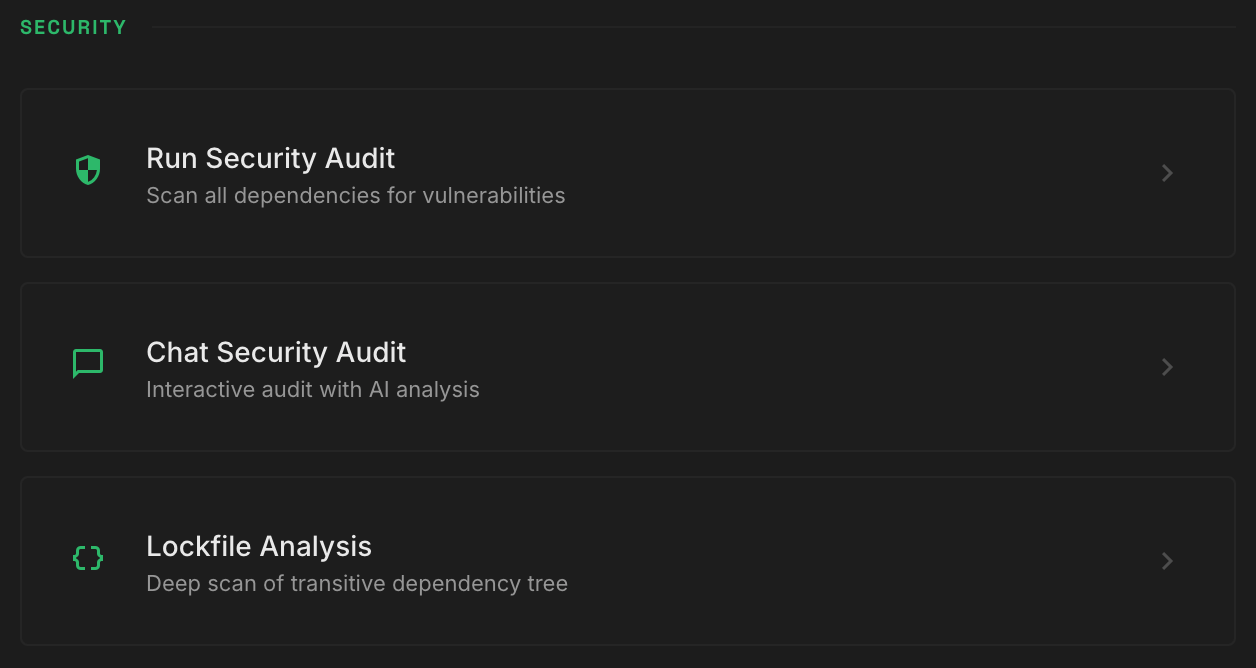
Security
Use these actions to review and remediate dependencies across the workspace.
- Run Security Audit — scans all workspace dependencies for known vulnerabilities.
- Chat Security Audit — starts an interactive audit in chat. Use it when you want remediation guidance, not only a list of issues.
- Lockfile Analysis — scans the full transitive dependency tree in your lockfile. Use it when direct dependencies look fine but you need to check nested dependencies for inherited risk or policy violations.
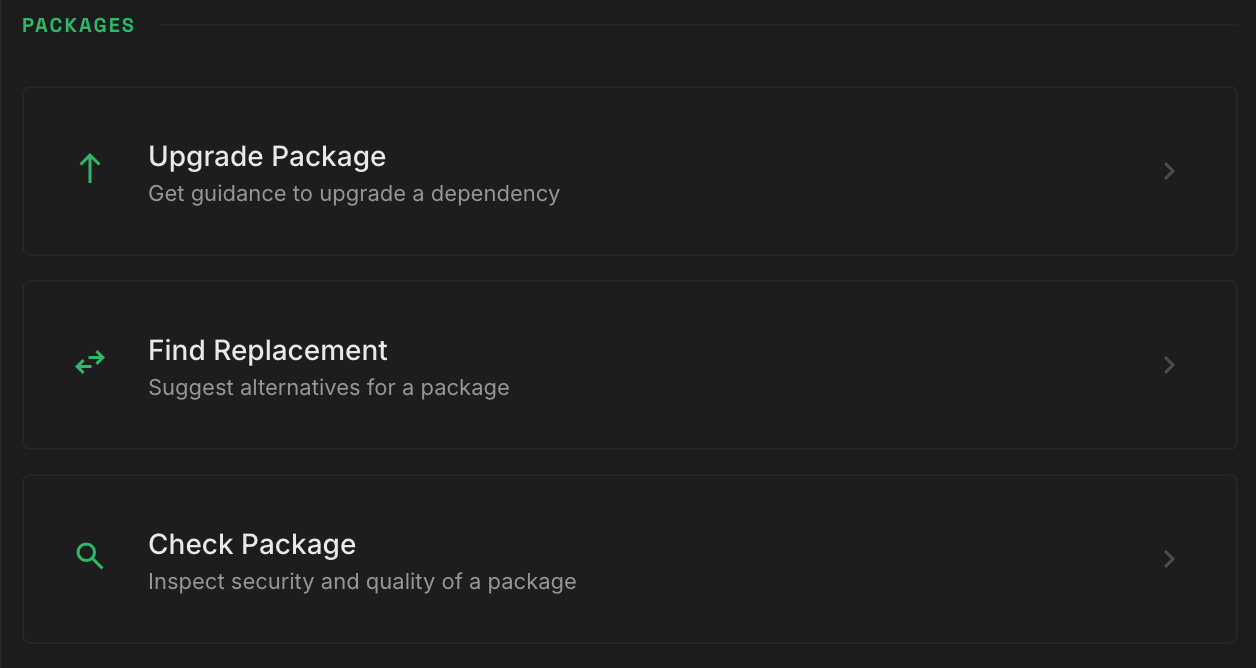
Packages
Use these actions when you already know which package you want to investigate.
- Upgrade Package — opens a guided upgrade workflow with version-aware advice before you change anything.
- Find Replacement — suggests alternatives for a package that is deprecated, risky, or no longer a good fit.
- Check Package — reviews the security and quality of a specific package, for example before you adopt it.
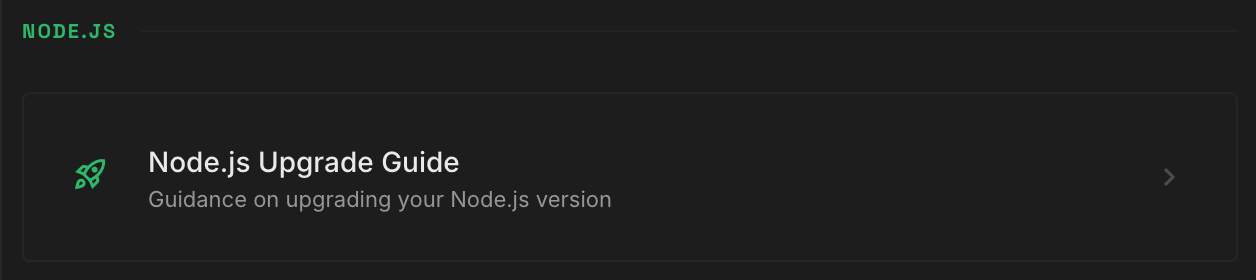
Node.js
- Node.js Upgrade Guide — gives guidance for upgrading your Node.js version. Use it when remediation depends on moving to a newer supported Node.js release.
Inline NCM features
The extension also shows NCM results where you make package decisions:
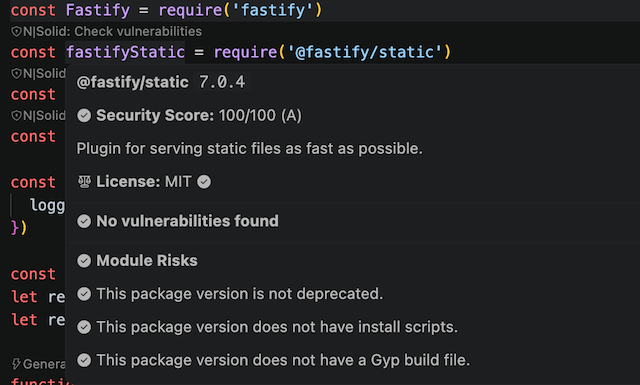
package.jsonhovers show vulnerability severity, license status, module risks, code quality signals, deprecation notices, the latest version, and quick actions.- Import hovers show the same package data when you hover an imported package in JavaScript or TypeScript files.
- Lockfile hovers show resolved versions and transitive packages in
package-lock.json,yarn.lock, andpnpm-lock.yaml. - Code lenses on imports add an N|Solid: Check vulnerabilities action.
- Diagnostics add inline warnings and information markers for vulnerabilities, outdated packages, deprecations, license concerns, and module risks.
To stop diagnostics for a package you've reviewed, run Ignore Package Warnings. Ignored packages are stored in the nsolid.ignoredPackages setting as package names mapped to a reason. To see a summary of dependency vulnerabilities in one place, run Open Vulnerability Dashboard.
How the NCM MCP server is used
The extension gets its package data from the NCM MCP server (nsolid.ncmServerUrl, default https://mcp.ncm.nodesource.com). It uses the server to fetch data for direct and transitive dependencies, which then feeds the hovers, diagnostics, code lenses, audits, and chat commands.
The NCM MCP server provides:
- Known vulnerabilities
- Latest available versions
- License policy status
- Module risk signals
- Code quality indicators
- Package metadata used in upgrade and replacement guidance
The NCM Actions view, the inline features, and the chat commands all use the same NCM data. Choose the one that fits the task: a guided workflow, a quick package check, or a full dependency audit.
NCM chat commands
For deeper analysis, type @nsolid in the chat panel followed by one of these commands:
/audit— audits workspace dependencies and produces remediation guidance./upgrade <package>— builds upgrade guidance for a specific package from NCM package and version data./replace <package>— suggests safer or better-maintained replacement packages based on NCM quality and risk data./node-upgrade— gives guidance on upgrading your Node.js version.
You can also ask free-form questions, for example: "Using NCM MCP, tell me about the security and quality of package-name."
Reports
Many NCM actions save a report that you can review later in the Reports view. See Reports.
