Reports
The Reports view in the N|Solid IDE extension lists the analysis reports the extension has saved, such as security audits, lockfile analyses, package checks, and profile, asset, and event analyses. Use it to preview a report, open the full file, or delete reports you no longer need.
Open a report
Each saved report appears as an entry in the Reports view. Select a report to expand it and see a short summary and basic metadata.
To open the complete report, click View Details.
Actions in the Reports view
- Expand a report — preview the summary without leaving the view.
- View Details — open the saved report file.
- Filter — search the list by report title.
- Delete — remove a saved report.
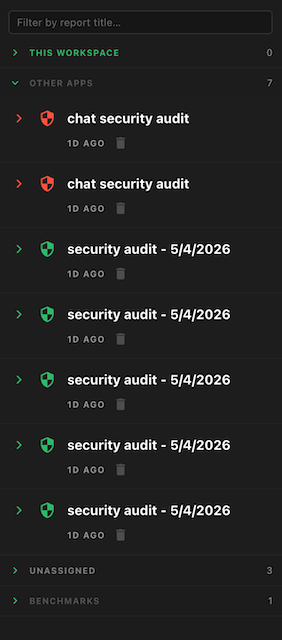
If your workspace is mapped to an application, the view separates reports for This Workspace from reports for Other Apps.
Where reports are stored
Reports are saved as Markdown files in the workspace's .nsolid/assets/ folder, together with an index file (reports-index.json). When the extension first creates the .nsolid/ folder, it offers to add .nsolid/ to your project's .gitignore.
