Service tokens
Service tokens let automated clients act on behalf of your NodeSource organization: CI/CD pipelines that use NCM, scripts that call the N|Solid Console API, the N|Solid Console MCP server, the NodeSource benchmark MCP server, the N|Solid IDE extension, and the N|Solid plugin for AI agents. Each token has its own set of permissions. This page shows how to create and manage tokens and which permissions to grant.
Create a service token
To manage service tokens, you need the service tokens permission, which is included in the admin role. See Role-based access control.
-
In NodeSource Accounts (accounts.nodesource.com), select Service Tokens in the left navigation.
-
Click New Service Token.

-
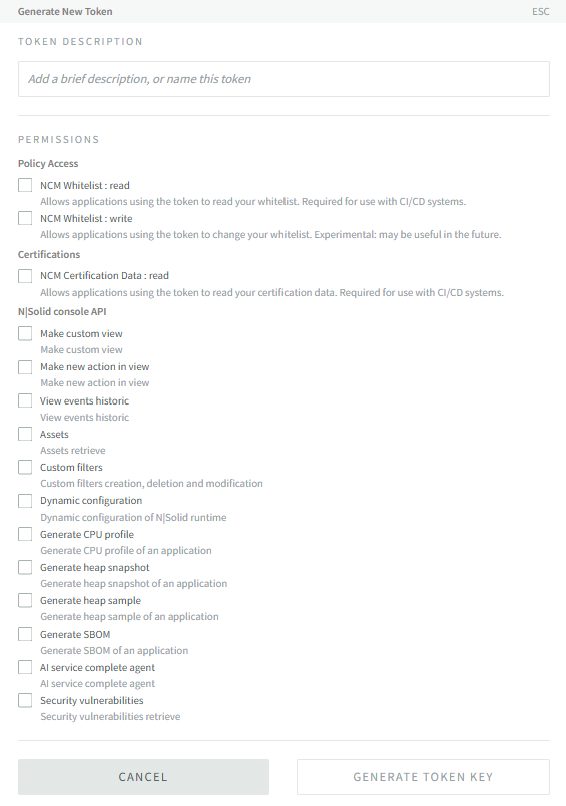
Under Token Description, enter a short description or name for the token.
-
Under Permissions, select at least one permission. See Available permissions.
-
Click Generate Token Key.
-
Copy the token key and store it somewhere secure.
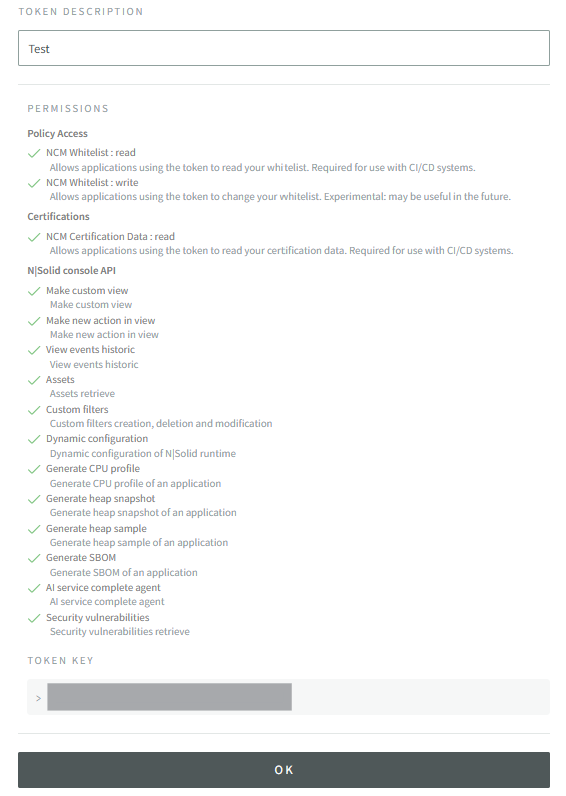
Treat a service token like a password. Don't commit it to source control or paste it into shared files.
Manage service tokens
From the Service Tokens page you can also:
- Rename a token.
- Regenerate a token. This replaces the token with a new key that has the same name and permissions. The old key stops working immediately and can't be recovered, so update every client that uses it.
- Delete a token.
Available permissions
Permissions are grouped in the token dialog:
| Group | Permissions |
|---|---|
| Policy Access | NCM Whitelist : read — read your organization's whitelist. Required for CI/CD. NCM Whitelist : write — change your whitelist (experimental). |
| Certifications | NCM Certification Data : read — read your certification data. Required for CI/CD. |
| N|Solid console API | Permissions for N|Solid Console API endpoints and MCP tools, such as Assets, View events historic, Generate CPU profile, Generate heap snapshot, Generate heap sample, Generate SBOM, Security vulnerabilities, Dynamic configuration, Custom filters, Make custom view, Make new action in view, AI service complete agent, Sourcemap Upload, N|Solid Benchmark, and settings permissions. |
Recommended permission sets
| Use case | Permissions |
|---|---|
CI/CD with ncm-cli | NCM Whitelist : read, NCM Certification Data : read |
| N|Solid MCP Server for N|Solid Copilot | See MCP integrations. |
| Your own IDE or AI agent using the N|Solid Console MCP server | The permissions for the tools you want the agent to use. See Tools and required permissions. |
| Benchmark MCP server | N|Solid Benchmark |
| Manual sourcemap uploads | Sourcemap Upload |
